FPS Monitor – hardware in-game & desktop overlays on Steam - User reviews, Price & Information

Quick menu

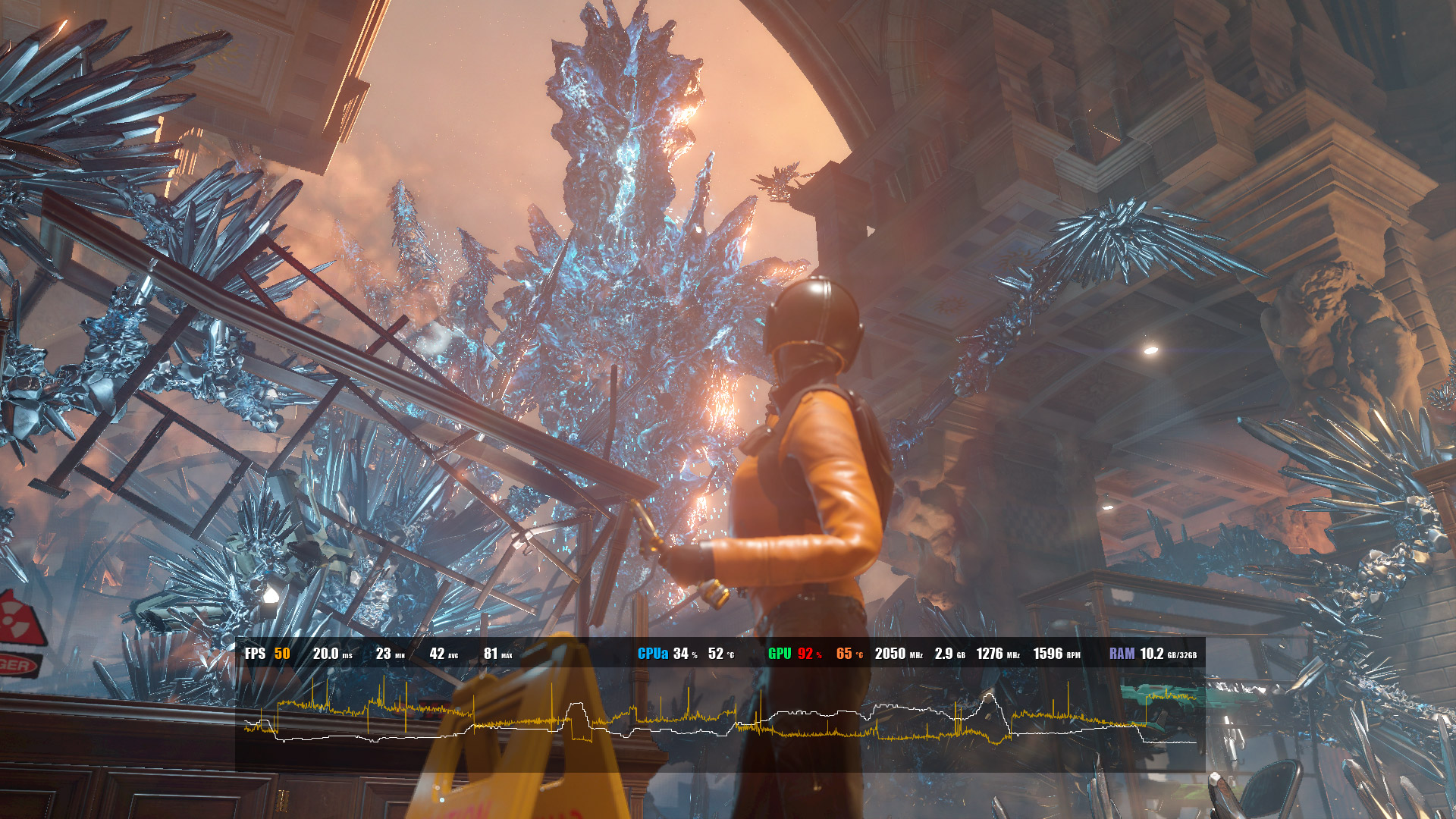
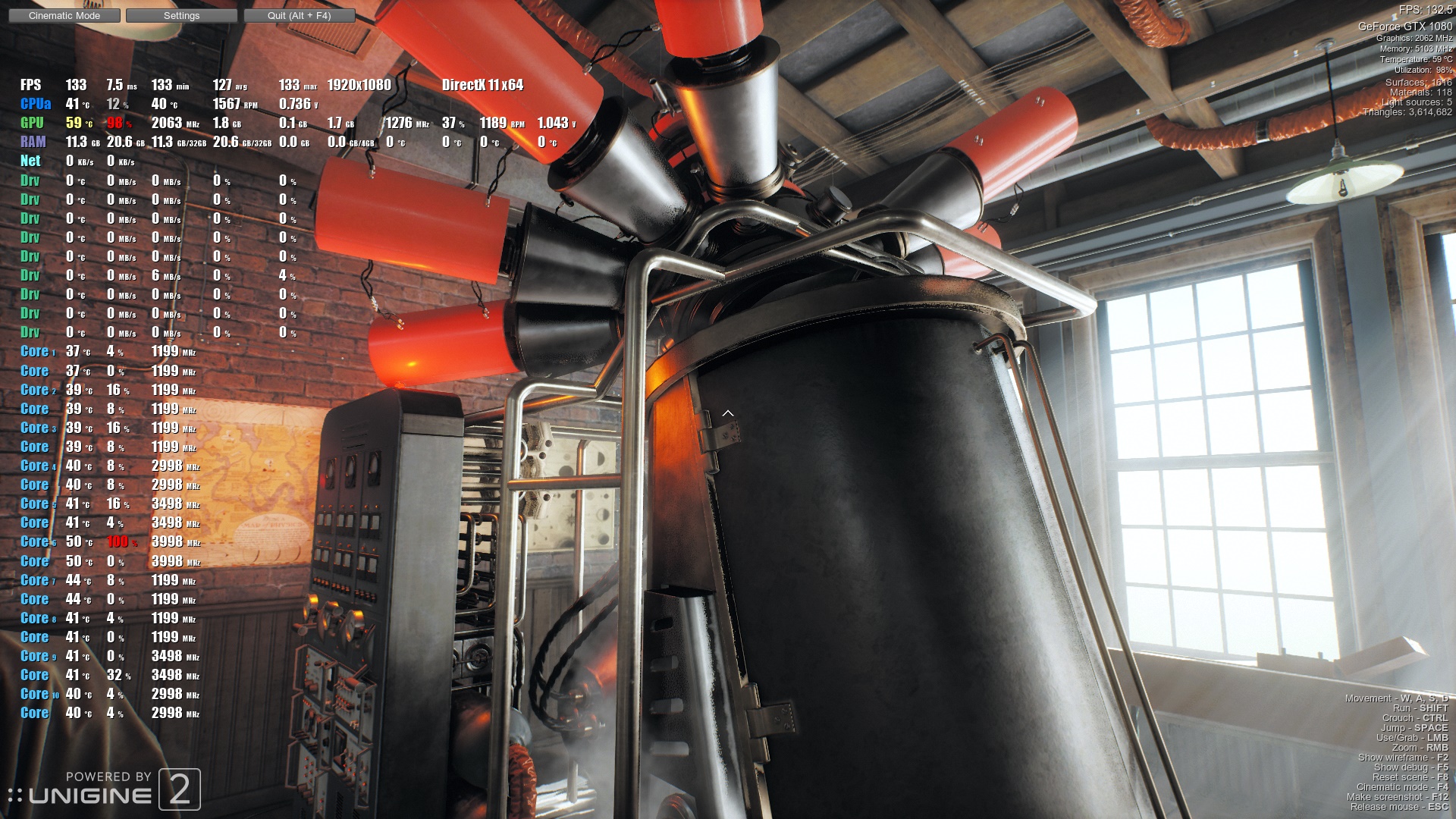
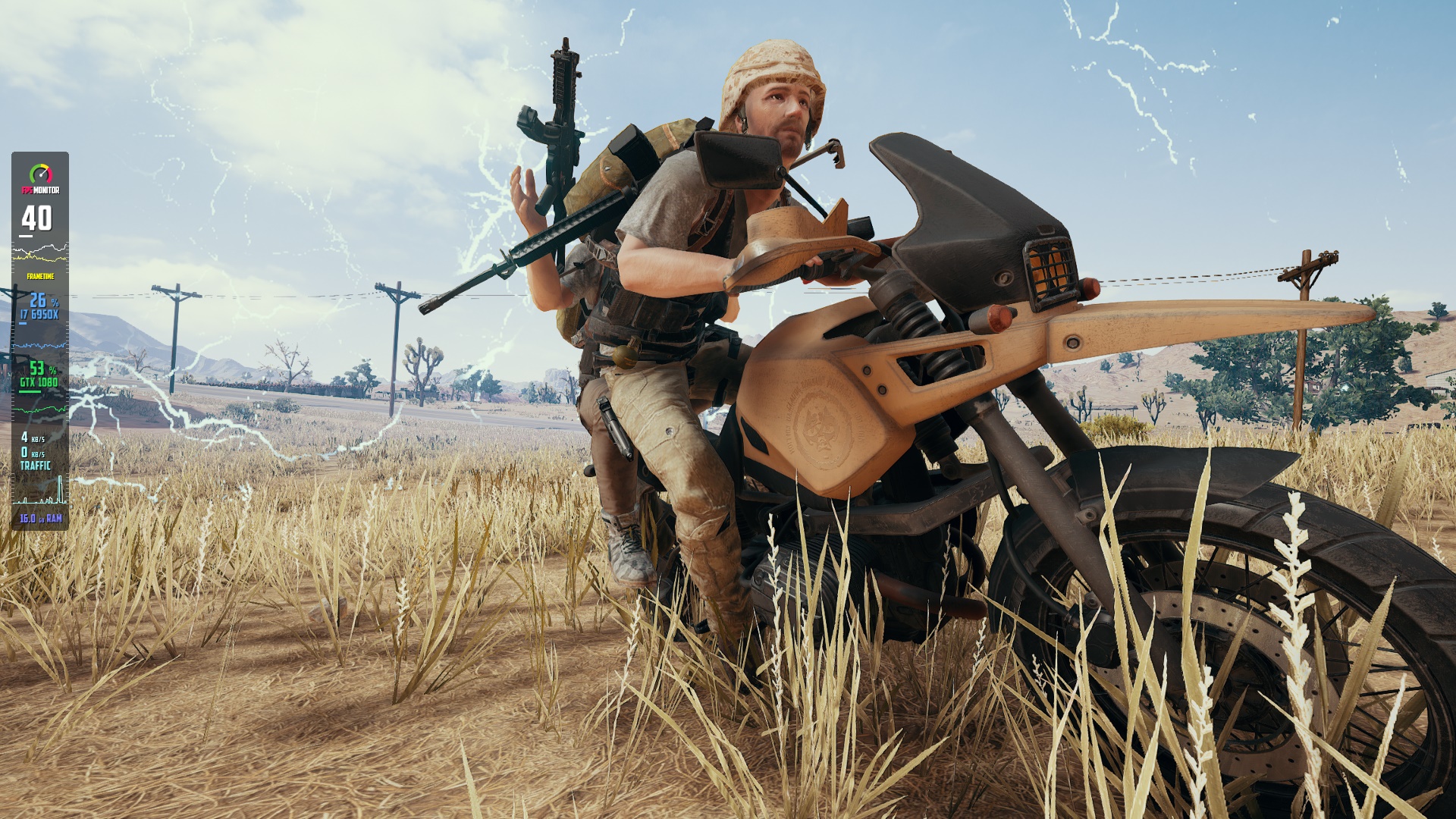
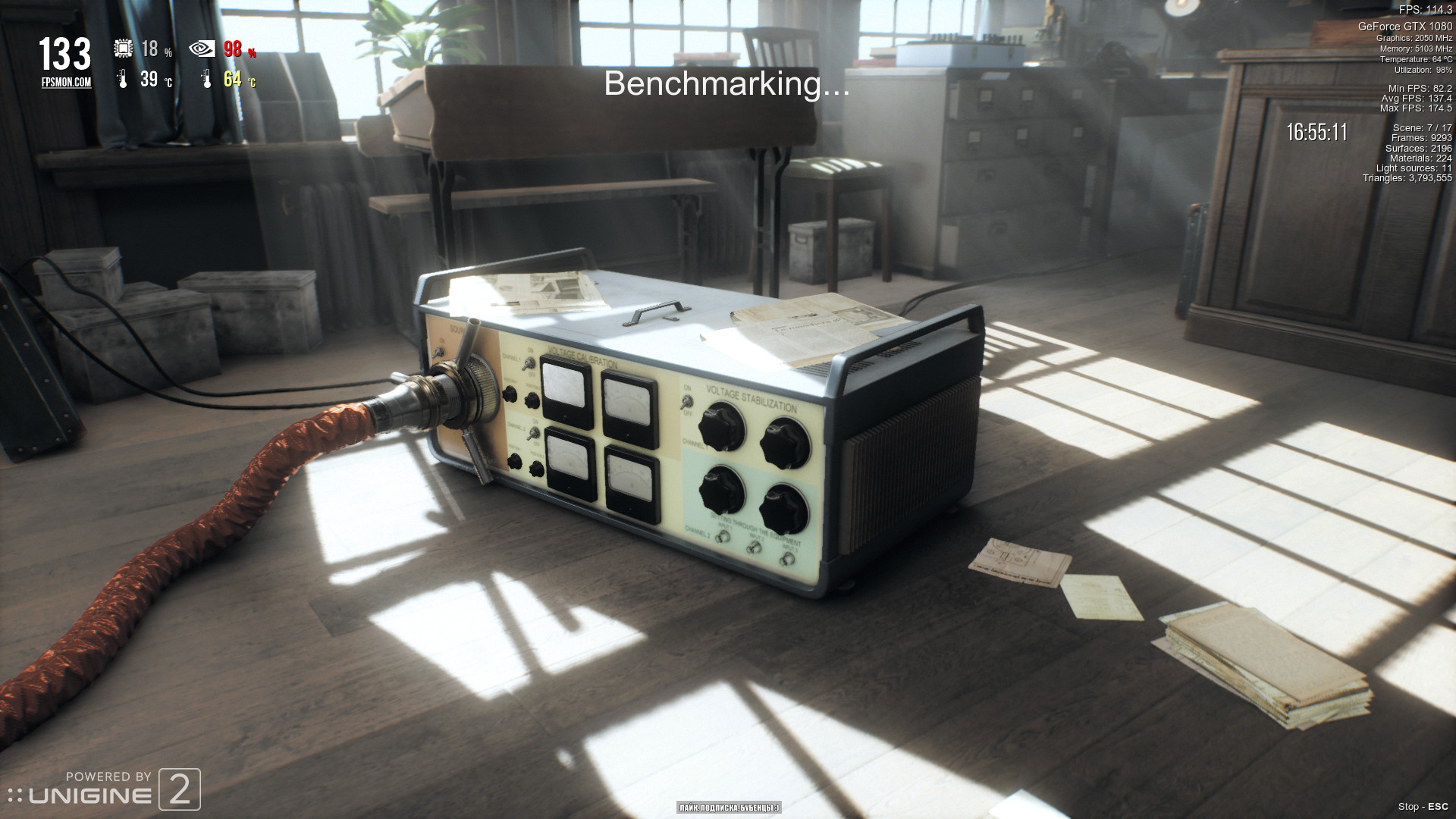
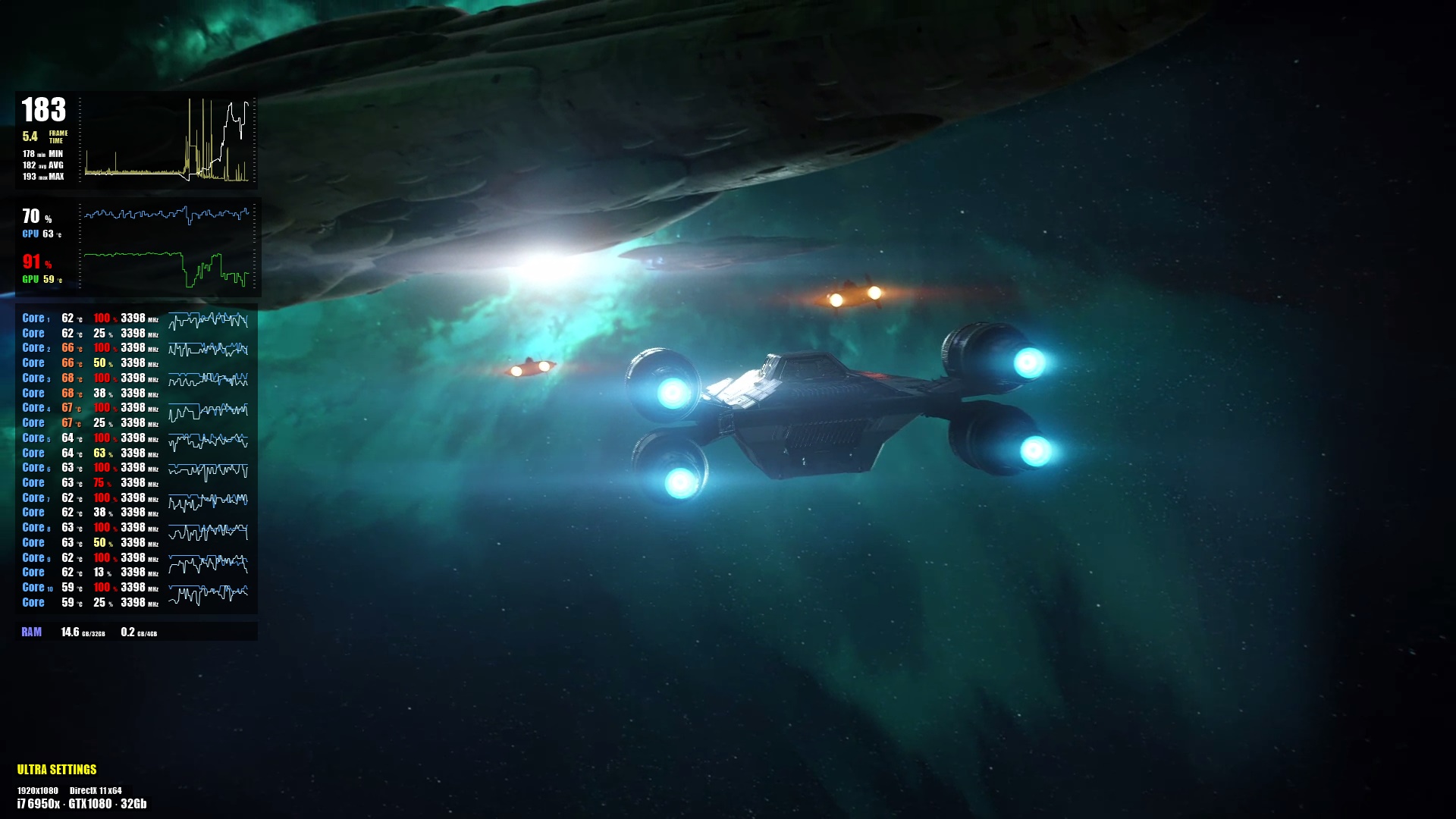
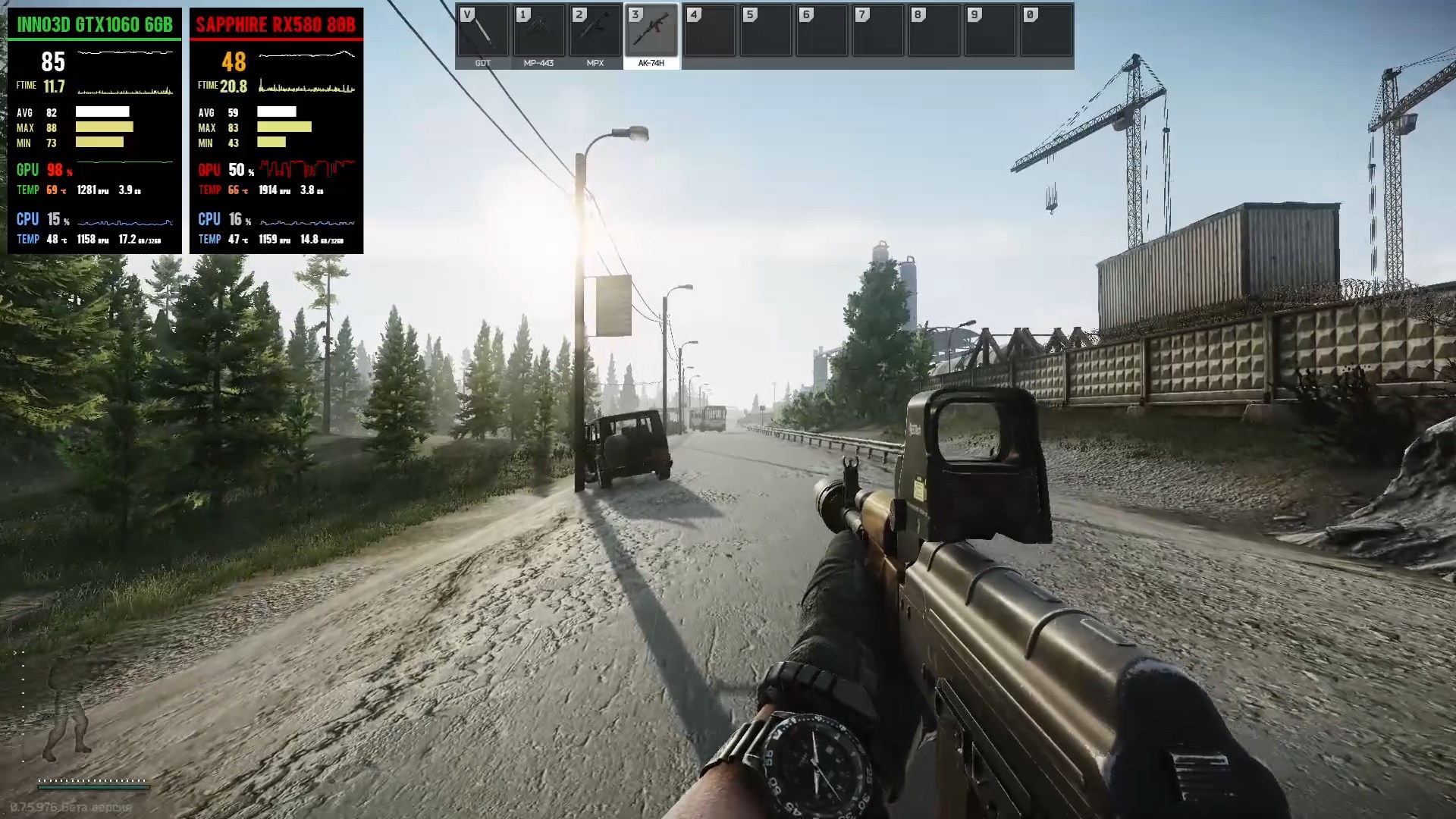
FPS Monitor tracks your PC's hardware state and displays this information as an overlay in-game or over desktop. Does not require configuration, it works immediately after installation.

FPS Monitor – hardware in-game & desktop overlays is a utilities, game development and video production game developed and published by Eduard Kozadaev.
Released on November 09th 2018 is available only on Windows in 7 languages: English, Italian, Hungarian, Korean, Portuguese - Brazil, Russian and Thai.

It has received 2,095 reviews of which 1,774 were positive and 321 were negative resulting in a rating of 8.1 out of 10. 😎

The game is currently priced at 12.79€ on Steam.


The Steam community has classified FPS Monitor – hardware in-game & desktop overlays into these genres:

Media & Screenshots

Get an in-depth look at FPS Monitor – hardware in-game & desktop overlays through various videos and screenshots.
Load More

System requirements

These are the minimum specifications needed to play the game. For the best experience, we recommend that you verify them.

Windows
  • OS *: Windows 7
  • Memory: 1 GB RAM
  • Graphics: Intel/AMD/NVidia graphics card
  • DirectX: Version 11
  • Storage: 15 MB available space
  • Additional Notes: Administrator rights to run software are mandatory.

User reviews & Ratings

Explore reviews from Steam users sharing their experiences and what they love about the game.

Jan. 2026
FPS Monitor is a utility-focused Steam application developed and published by Eduard Kozadaev that occupies a unique space between gaming and system diagnostics. Rather than being entertainment in the traditional sense, it is designed as a powerful companion tool for PC gamers, hardware enthusiasts, and performance-conscious users who want immediate, transparent insight into how their system behaves under real workloads. Its core purpose is to present real-time performance and hardware data directly on screen while playing games or using demanding applications, allowing users to understand not only how smoothly a game is running, but why it is running that way. At its foundation, FPS Monitor excels in accessibility. After installation, it can begin displaying performance data with minimal configuration, which makes it approachable even for users unfamiliar with advanced monitoring software. The overlay system is compatible with a wide range of graphics APIs, including modern DirectX versions, OpenGL, and Vulkan, ensuring that it works across most contemporary PC games. From there, users can refine the experience through extensive customization, choosing exactly which metrics are shown, how they are arranged, and how visually prominent they appear. Text size, colors, layout structure, and transparency can all be adjusted so the overlay remains readable without becoming intrusive during gameplay. What truly elevates FPS Monitor above basic FPS counters is the sheer depth of information it can display. In addition to real-time frame rate, it tracks detailed frame timing data, average values, and low-percentile FPS metrics that more accurately reflect perceived smoothness. Alongside performance data, it monitors CPU and GPU usage, clock speeds, temperatures, voltages, fan speeds, memory usage, storage activity, and even network statistics. This combination allows users to quickly identify bottlenecks, thermal throttling, or unstable hardware behavior without needing to alt-tab to external tools. For players who tweak graphics settings, experiment with overclocking, or troubleshoot performance drops, this immediate feedback loop is especially valuable. FPS Monitor also offers flexibility beyond in-game overlays through its desktop monitoring options. Users can enable widgets or persistent overlays that remain visible outside of games, turning the software into a general-purpose system monitor. Alert systems further enhance its practicality, notifying users when temperatures, usage levels, or other metrics exceed predefined thresholds. This makes it useful not only for performance tuning but also for safeguarding hardware during long gaming sessions or heavy workloads. Additional features such as screenshot capture, performance logging, and optional frame rate limiting round out the toolset, adding convenience without distracting from its main purpose. Community reception reflects the software’s strong niche appeal. Many users praise its stability, customization depth, and clarity of information, especially when compared to simpler overlays that provide little context beyond a raw FPS number. Long-term users often highlight how the software helps them better understand their systems and make informed decisions about upgrades or configuration changes. While some feedback points to occasional issues tied to updates or specific game compatibility, the overall sentiment underscores that FPS Monitor delivers meaningful value to those who actively care about performance analysis. Ultimately, FPS Monitor stands as a robust and thoughtfully designed performance monitoring solution rather than a casual add-on. Its value is most apparent for players who want to go beyond surface-level metrics and gain real insight into how their hardware and games interact in real time. For such users, it functions almost like a diagnostic instrument embedded directly into gameplay, transforming raw numbers into actionable understanding. While it may be unnecessary for players who are uninterested in system details, for enthusiasts, streamers, and technically minded gamers, FPS Monitor proves to be a comprehensive and reliable companion that enhances both awareness and control over the PC gaming experience. Rating: 8/10
Expand the review
Jan. 2026
good overlay, just irritating that it detects somethings it shouldn't sometimes, price could be better.
Expand the review
Jan. 2026
its for Dummie Users, easily to use and to setup.
Expand the review
Jan. 2026
THE PROGRAM DOESN'T WANT TO SHOW FPS IN THE GAME ARC RAIDERS, I HAVE ALREADY TRIED EVERYTHING, IT WORKED BEFORE And for example, in Battlefield 6 it completely stopped showing up for me
Expand the review
April 2025
Does exactly what it is supposed to do and it is fully customizable. It has been a valuable tool to help me troubleshoot issues and / or optimize PC performance.
Expand the review

Similar games

View all
LIV All-in-one VR software for creators. Record mixed reality, transform into your favorite avatar, see chat inside your headset, and more.

Similarity 76%
Price Free to play
Rating 8.2
Release 12 Aug 2019
Beam Eye Tracker Turn your webcam into an AI-powered head & eye tracker and ditch the bulky tracking hardware. Enable gaming extensions like OpenTrack for immersive eye and head tracking. Gain insights and improve your gameplay using the eye tracking overlay or enhance your live streams.

Similarity 70%
Price 28.99€
Rating 8.2
Release 02 Aug 2023
sheepChat Simple and convenient cross platform multichat capable to satisfy the needs of any streamer. Can display messages from majority of streaming resources and show that information the way YOU want!

Similarity 69%
Price 8.99€
Rating 7.1
Release 20 Dec 2018
Godot Engine Godot Engine is a feature-packed, cross-platform game engine to create 2D and 3D games from a unified interface. It provides a comprehensive set of common tools, so that you can focus on making games without having to reinvent the wheel.

Similarity 69%
Price Free to play
Rating 8.3
Release 23 Feb 2016
PlayClaw 7 - Game Overlays, Recording and Streaming Use our cool in-game overlays to achieve the best gaming experience! Harnessing the power of your GPU, hardware accelerated H.264 codecs and the various overlays, you will have an advantage over your opponents and you can share your victories.

Similarity 69%
Price Free to play
Rating 8.1
Release 16 May 2020
PlayClaw 5 - Game Recording and Streaming The amazing PlayClaw video capture tool gives customers incredible power!PlayClaw has been designed to make full use of multi-core processors and hardware accelerated H.264 codecs, which ensures the outstanding quality of the output with a minimal impact on system performance.

Similarity 67%
Price 36.99€
Rating 6.8
Release 10 Sep 2013
RutonyChat RutonyChat is a program for receiving messages from chats and notifications from various streaming sites. A faithful assistant to the streamer and video blogger who wants to spice up or spruce up their content.

Similarity 67%
Price 14.99€
Rating 7.2
Release 19 Sep 2016
Whirligig Media Player A versatile VR and desktop media player for watching 2D, 3D, and 360° videos with customizable playback, projection modes, and full stereoscopic support.

Similarity 65%
Price 5.89€
Rating 7.5
Release 25 Jan 2024
Driver Booster 4 for Steam Driver Booster 4 for STEAM, as a powerful & easy-to-use driver updater, provides 1-click solution to rapidly & securely update 400,000+ drivers including the outdated, missing and faulty ones. Moreover, game components and game-related drivers are supported for enhanced gaming experience.

Similarity 61%
Price Free to play
Rating 7.2
Release 07 Nov 2016
Axis Game Factory's AGFPRO v3 Axis Game Factory’s AGFPRO v3.0 – for PC, MAC and LINUXWe just released version 3.0 of AGFPRO & Premium - there are a TON of new features, assets and functionality that have been added, giving users the ability to create amazing game levels and maps like NEVER BEFORE!!Major features to AGFPRO 3.

Similarity 61%
Price 8.19€
Rating 6.0
Release 19 Nov 2013
Action! - Gameplay Recording and Streaming With Action! you can record and live stream your HD/4K/HDR10/8K gameplay, display game's fps, add webcams, live audio commentary, add streaming overlays such as chatbox, alert box, monitor the status of your recording and streaming, benchmark your computer and more!

Similarity 59%
Price -14% 21.57€
Rating 8.3
Release 08 May 2014
GameMaker GameMaker has everything you need to take your idea from concept to finished game. With no barriers to entry and powerful functionality, GameMaker is the ultimate 2D development environment!

Similarity 59%
Price Free to play
Rating 8.5
Release 03 May 2022

Frequently Asked Questions

FPS Monitor – hardware in-game & desktop overlays is currently priced at 12.79€ on Steam.

FPS Monitor – hardware in-game & desktop overlays is currently not on sale. You can purchase it for 12.79€ on Steam.

FPS Monitor – hardware in-game & desktop overlays received 1,774 positive votes out of a total of 2,095 achieving a rating of 8.12.
😎

FPS Monitor – hardware in-game & desktop overlays was developed and published by Eduard Kozadaev.

FPS Monitor – hardware in-game & desktop overlays is playable and fully supported on Windows.

FPS Monitor – hardware in-game & desktop overlays is not playable on MacOS.

FPS Monitor – hardware in-game & desktop overlays is not playable on Linux.

FPS Monitor – hardware in-game & desktop overlays does not currently offer any DLC.

FPS Monitor – hardware in-game & desktop overlays does not support mods via Steam Workshop.

FPS Monitor – hardware in-game & desktop overlays does not support Steam Remote Play.

FPS Monitor – hardware in-game & desktop overlays does not currently support Steam Family Sharing.

You can find solutions or submit a support ticket by visiting the Steam Support page for FPS Monitor – hardware in-game & desktop overlays.

Data sources

The information presented on this page is sourced from reliable APIs to ensure accuracy and relevance. We utilize the Steam API to gather data on game details, including titles, descriptions, prices, and user reviews. This allows us to provide you with the most up-to-date information directly from the Steam platform.

Additionally, we incorporate data from the SteamSpy API, which offers insights into game sales and player statistics. This helps us present a comprehensive view of each game's popularity and performance within the gaming community.

Last Updates
Steam data 18 January 2026 03:38
SteamSpy data 27 January 2026 20:14
Steam price 28 January 2026 20:29
Steam reviews 26 January 2026 19:54

If you'd like to dive deeper into the details about FPS Monitor – hardware in-game & desktop overlays, we invite you to check out a few dedicated websites that offer extensive information and insights. These platforms provide valuable data, analysis, and user-generated reports to enhance your understanding of the game and its performance.

  • SteamDB - A comprehensive database of everything on Steam about FPS Monitor – hardware in-game & desktop overlays
  • SteamCharts - Analysis of FPS Monitor – hardware in-game & desktop overlays concurrent players on Steam
  • ProtonDB - Crowdsourced reports on Linux and Steam Deck FPS Monitor – hardware in-game & desktop overlays compatibility
FPS Monitor – hardware in-game & desktop overlays
Rating
8.1
1,774
321
Online players
68
Developer
Eduard Kozadaev
Publisher
Eduard Kozadaev
Release 09 Nov 2018
Platforms