
Standable: Full Body Estimation
Standable Full Body Estimation is a method of estimating points of your body that are not currently tracked by 3-point tracking solutions.
Sync your Steam wishlist to find the lowest game prices instantly. No login required, just paste your Steam profile URL!
⚡ Try Wishlist Radar!
Sync your Steam wishlist to find the lowest game prices instantly. No login required!
⚡ Try Wishlist Radar!
Close

fpsVR on Steam
Quick menu
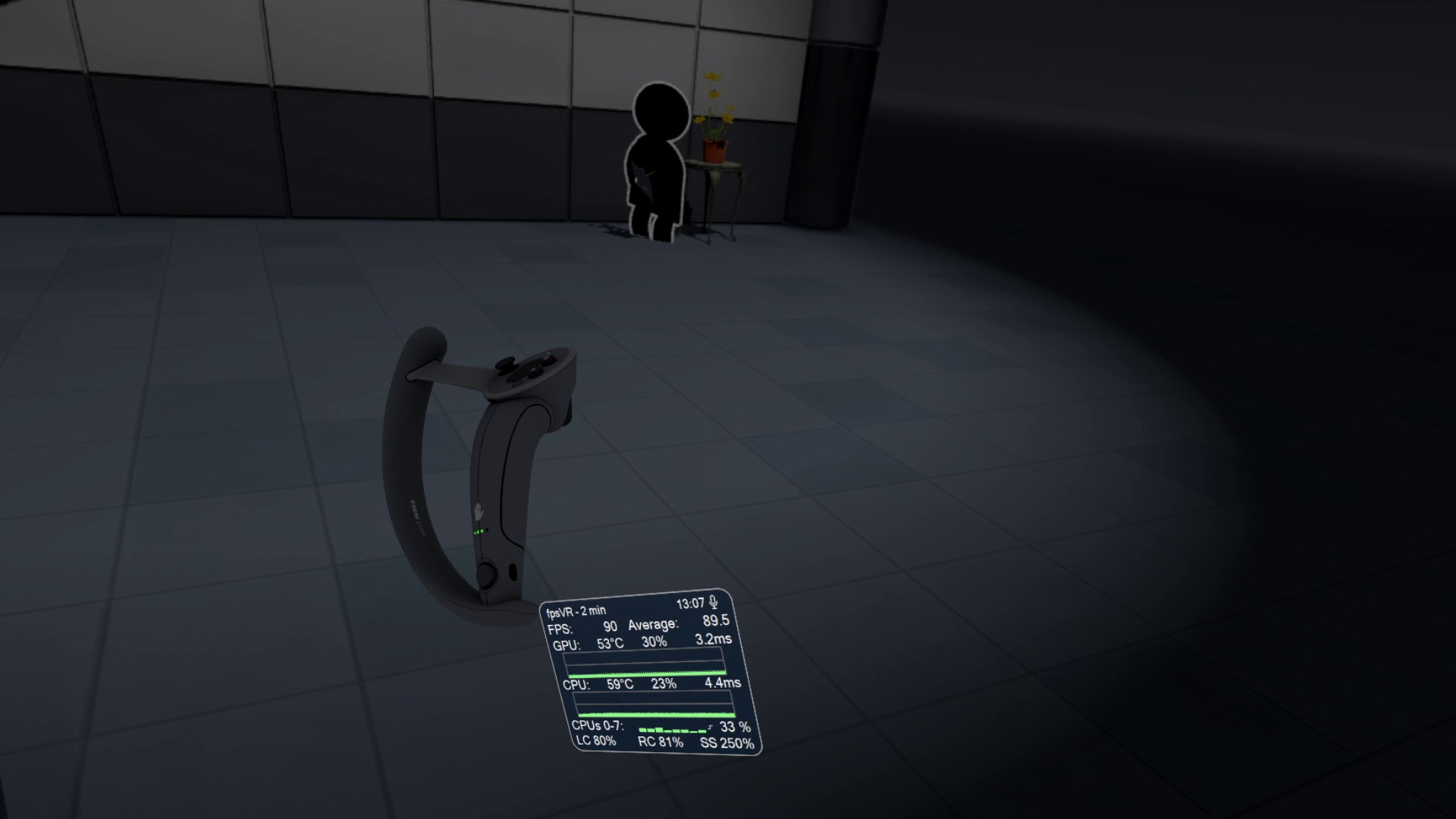
Utility for SteamVR for keeping track of FPS, frame time and other performance metrics in the in-game overlay. Easily change SteamVR settings in the fpsVR settings overlay in the SteamVR dashboard. Headset cable twist tracking and other useful features.
fpsVR is a indie, vr and utilities game
developed and published by SBSoftLab.
Released on September 11th 2018 is available on Windows and VR
in 2 languages: English and Russian.
It has received 2,281 reviews of which 2,213 were positive and 68 were negative resulting in an impressive rating of 9.2 out of 10. 😍
The game is currently priced at 4.15€ on Steam.
The Steam community has classified fpsVR into these genres:
Here is the detailed breakdown of supported languages for fpsVR:
| UI | Subtitle | Audio | |
|---|---|---|---|
| English | |||
| Russian |
Media & Screenshots
Get an in-depth look at fpsVR through various videos and screenshots.




Load More


System requirements
These are the minimum specifications needed to play the game. For the best experience, we recommend that you verify them.
Windows
- Requires a 64-bit processor and operating system
- OS: Windows 10/11
- Processor: Intel® Core™ i5-4590 or AMD FX™ 8350, equivalent or better
- Memory: 4 GB RAM
- Graphics: NVIDIA GeForce GTX 970, AMD Radeon R9 290 equivalent or better
- DirectX: Version 11
- Storage: 100 MB available space
- VR Support: SteamVR only (any headset that works with SteamVR, including Meta/Oculus headsets)
Steam Price & Best Deals
User reviews & Ratings
Explore reviews from Steam users sharing their experiences and what they love about the game.
I paid like three bucks for this thing at full price and I can't think of anything else I ever bought on Steam that had as much value in such a small price tag. I play IL-2 Sturmovik in VR on a laptop that is not designed for playing VR, in busy multiplayer servers no less. In fact, no matter what VR game I am playing, I have this utility set to always float right below my head so I need only glance down to see what my system is doing. Very unobtrusive and always handy; it opens automatically with SteamVR. I'm pretty sure this thing has more functionality than Task Manager, and I have never really even looked beyond the main default screen. It's a lifesaver when it comes to seeing how my system is performing and tweaking my game settings to get the most I can out of the game. I wish I could run it outside of VR too, instead of using Task Manager.
Similar games
View all

OVR Advanced Settings
OVR Advanced Settings is a Dashboard Application for VR, that allows you to access many settings. OVRAS also has a myriad of utility features such as: simulated movement, adding smooth/snap turn to any game, video controls for the headset such as brightness, per-app bindings and much more.


Virtual Desktop Classic
Virtual Desktop is an application developed for the Oculus Rift / Rift S, HTC Vive, Valve Index and WMR headsets that lets you use your computer in VR. This app is NOT for the Oculus Quest or Pico headsets. You can browse the web, watch movies, Netflix or even play games on a giant virtual screen.

OVR Toolkit - Desktop Overlay
OVR Toolkit is a utility application designed to make viewing the desktop in VR simple and fast, it allows for viewing the desktop within VR, mouse input, typing with a virtual keyboard, and quickly switching between windows. You can also control your media, see time, and more!

MyDockFinder
MyDockFinder is a software for quick system startup and control viewing system functions. You can drag and drop to add your favorite programs or files, and drag and drop to directly use the program to open the file. Based on WinUI using GPU rendering, smooth animation effects.

OyasumiVR - VR Sleeping Utilities
Software that helps you sleep in virtual reality. OyasumiVR detects when you are asleep and automates various tasks and settings to make VR sleeping as comfortable as possible.


iVRy Driver for SteamVR
Use your iPhone, Android, GearVR, Oculus, Vive Wave, Pico Mobile or Sony Playstation VR/VR2 headset as a Virtual Reality Headset for your PC. Lets you run SteamVR & Oculus Rift PC VR titles without a dedicated PC VR headset.

Wallpaper Play
【WallpaperPlay】It is a powerful desktop beautification tool that combines dynamic wallpapers, desktop clocks, music spectrums, typing follow effects, and mouse cursors. For desktop beautification, this one is all you need! O(∩_∩)O~


Simple VR Video Player
Watch your videos in virtual reality with Simple VR Video Player, an easy to use video player with full motion control support and an intuitive interface. Simple VR Video Player can play your saved video files with 2D/180°/360° and 3D/SBS/OU support.
Frequently Asked Questions
fpsVR is currently priced at 4.15€ on Steam.
No, fpsVR is currently not on sale. You can purchase it for 4.15€ on Steam.
Yes, fpsVR received 2,213 positive votes out of a total of 2,281 achieving an impressive rating of 9.24.
😍
fpsVR was developed and published by SBSoftLab.
Yes, fpsVR is playable and fully supported on Windows.
No, fpsVR is not playable on MacOS.
No, fpsVR is not playable on Linux.
No, fpsVR is not playable on Steam Deck.
This information about fpsVR is not available yet.
Yes, fpsVR is a VR-only title. A compatible VR headset is required to play the game.
No, fpsVR does not currently offer any DLC.
No, fpsVR does not support mods via Steam Workshop.
No, fpsVR does not support Steam Remote Play.
Yes, fpsVR is enabled for Steam Family Sharing. This means you can share the game with authorized users from your Steam Library, allowing them to play it on their own accounts. For more details on how the feature works, you can read the original Steam Family Sharing announcement or visit the Steam Family Sharing user guide and FAQ page.
You can find solutions or submit a support ticket by visiting the Steam Support page for fpsVR.
Data sources
The information presented on this page is sourced from reliable APIs to ensure accuracy and relevance. We utilize the Steam API to gather data on game details, including titles, descriptions, prices, and user reviews. This allows us to provide you with the most up-to-date information directly from the Steam platform.
Additionally, we incorporate data from the SteamSpy API, which offers insights into game sales and player statistics. This helps us present a comprehensive view of each game's popularity and performance within the gaming community.
Last Updates| Steam data | 24 September 2026 20:07 UTC |
|---|---|
| SteamSpy data | 22 October 2026 16:04 UTC |
| Steam price | 26 October 2026 19:22 UTC |
| Steam reviews | 18 October 2026 17:56 UTC |
If you'd like to dive deeper into the details about fpsVR, we invite you to check out a few dedicated websites that offer extensive information and insights. These platforms provide valuable data, analysis, and user-generated reports to enhance your understanding of the game and its performance.
- SteamDB - A comprehensive database of everything on Steam about fpsVR
- SteamCharts - Analysis of fpsVR concurrent players on Steam
- ProtonDB - Crowdsourced reports on Linux and Steam Deck fpsVR compatibility
Features
Online players
250
Developer
SBSoftLab
Publisher
SBSoftLab
Release
11 Sep 2018
Platforms