
Spriter Pro
Spriter makes it easy for anyone, regardless of experience, to create 2D game animations using a technique called Modular Animation. Individual sprite pieces can be attached to bones and then easily animated with the powerful, yet easy to use toolset.
Sync your Steam wishlist to find the lowest game prices instantly. No login required, just paste your Steam profile URL!
⚡ Try Wishlist Radar!
Sync your Steam wishlist to find the lowest game prices instantly. No login required!
⚡ Try Wishlist Radar!
Close

CopperCube 6 Game Engine on Steam
Quick menu
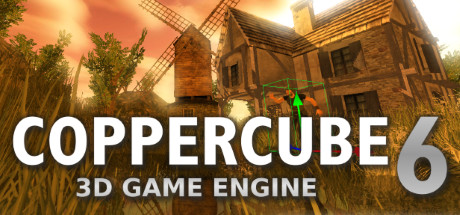
CopperCube is a full-featured 3D game engine. No programming needed! Create 3D games and apps quickly. Includes terrain editor, low poly modelling tools, 3D models, precreated game AI, effects and more.
CopperCube 6 Game Engine is a game development, animation & modeling and design & illustration game
developed and published by Ambiera e.U..
Released on July 13th 2018 is available only on Windows
in 11 languages: English, German, French, Spanish - Spain, Arabic, Simplified Chinese, Polish, Portuguese - Portugal, Russian, Swedish and Turkish.
It has received 377 reviews of which 302 were positive and 75 were negative resulting in a rating of 7.5 out of 10. 😊
The game is free to play on Steam.
The Steam community has classified CopperCube 6 Game Engine into these genres:
Game Development
Animation & Modeling
Design & Illustration
Software
Sandbox
Utilities
Education
First-Person
Here is the detailed breakdown of supported languages for CopperCube 6 Game Engine:
| UI | Subtitle | Audio | |
|---|---|---|---|
| English | |||
| German | |||
| French | |||
| Spanish - Spain | |||
| Simplified Chinese | |||
| Russian | |||
| Portuguese - Portugal | |||
| Polish | |||
| Swedish | |||
| Turkish | |||
| Arabic |
Media & Screenshots
Get an in-depth look at CopperCube 6 Game Engine through various videos and screenshots.


Load More


System requirements
These are the minimum specifications needed to play the game. For the best experience, we recommend that you verify them.
Windows
- Requires a 64-bit processor and operating system
- OS *: Windows Vista, 7, 8, 8.1, 10 or later
- Processor: Intel Celeron, Athlon Sempron or better
- Memory: 1 GB RAM
- Graphics: Direct 3D 9 compatible or better
- DirectX: Version 9.0c
- Storage: 120 MB available space
Steam Price & Best Deals
User reviews & Ratings
Explore reviews from Steam users sharing their experiences and what they love about the game.
I have a deeply complicated relationship with CopperCube, which is quite common within its small-but-active community. On one hand, CopperCube makes building games truly frictionless. On the other hand, your experience is frictionless only when doing the most basic possible tasks. If your project demands ANY degree of polish, you're going to be fighting this engine constantly. That doesn't mean CopperCube is not worth using, because again, it's complicated. This review is my attempt to document the fundamental issues I've run into as someone who's hated every game building tool they've tried but hates CopperCube less. CopperCube involves severe engine tradeoffs to such an extreme it exists in its own world. The single biggest problem CopperCube has is its rendering engine, closely followed by the extremely restrictive engine API (how user-authored code integrates with the engine itself). Regarding the Rendering Engine: CopperCube was built on top of IrrLicht, an open source 3D rendering engine heavily developed between 2003-2011. This means CopperCube feels very mid-2000's in most places, but downright 1997 in some. Personally, I don't mind the dated graphics in theory. It's DirectX 9 so there's just barely enough tech to squeeze out good visuals with enough effort. Photorealism is logistically impossible, but you can achieve something resembling the source engine as it existed in 2004 with enough effort. It can also handle much larger maps than the source engine, kinda. With super careful optimizations & using folders to hold LOD model sets, I could make some incredibly large scenes, provided I could tolerate the terrain being scaled up without more polygons to compensate. The problem with CopperCube's DirectX9 renderer isn't how dated it looks, it's the performance issues. I have never experienced a game or rendering engine struggle to hit 60fps as much as CopperCube. Need to display more than 5 human models? Forget it. That's too many animated polygons per frame. Need realtime shadows? CopperCube has them, but I've never managed to create a map simple enough to use it. Get used to having zero shading beyond baked lighting, but the in-engine baked lighting tool is so glitchy I wouldn't use it either. Performance struggles in very unpredictable ways, too. Terrains seem to be the most poorly optimized part of the CopperCube workflow. Creating a terrain is a decent-enough experience, albeit with a few GLARING issues (why can I not define a vertical height for my brush?? This makes landscaping around buildings or retaining walls very difficult. Plus, only two textures can intersect in any given terrain area, otherwise the texture blending glitches out and creates a bunch of blocky artifacts). The real problem with terrains is their performance impact. A modest-sized map takes a minimum of 1.2 million polygons in my experience. That's just for the terrain. It seems un-sculpted / flat areas of the terrain still have the same amount of polygons as heavily turbulent areas. Using grass, which is required to cover up how polygonal the terrain looks and its horrible texture blending, requires even more polygons. In my ongoing projects, I have to budget 1.5 million polygons for the terrain, leaving maybe 500-800k polygons for everything else, lest the engine slow to a crawl. Regardless of how your scene is optimized, the engine will not hit 60fps (even on an RTX 3090) if the estimated polygons surpass 2.2 million. This is likely due in part to CopperCube being single-threaded, meaning all of your game logic AND non-GPU rendering operations fight for a single CPU core. In my testing, CopperCube scenes perform about 50% worse on Intel UHD 620 graphics as they do on my RTX 3090. Performance is tied to hardware, but not consistently or predictably. I've found certain GPU's or GPU drivers can have worse performance than others. It's extremely difficult to know with any certainty if your project will run well on the end-user's system without severely limiting project scope. The worst things about the rendering engine I forgot to mention above: [*] It cannot handle objects containing multiple animations (like your playermodel!) unless you purchase a very niche $60 program called "Ultimate Unwrap 3D Pro" that converts your FBX files into Blitz3D format. CopperCube docs say to use DirectX format (.X) which literally no software other than a 15 year old version of Blender supports. In my experience, animated .X models still don't render correctly, only Blitz3D does. Strangely, non-animated Blitz3D models import super broken if they have any transparent textures (like tree leaves). [*] OBJ files are the most reliable imports, but only if you triangulate it and export with dual-sided faces which almost doubles the amount of polygons the model uses. non-animated FBX models import better than OBJ on some models, worse on others, but FBX models often import with the wrong transform (so rotated sideways). This wouldn't be a problem if it weren't for the next point: [*] The lighting engine. All I can say is I've never hated someone else's code this much. Real-time shadows break gourad shading on animated models (especially if they're Blitz3D format lol). If you use baked shadows, expect the light map to not stretch over your model properly if your model uses ANY curves, and for the model to permanently be like that. Changing the lighting mode on a model often fails to clear its shadow map, and re-importing breaks it further. You have to manually delete the model entirely, save, then re-import when this happens. Also, you cannot render more than 8 light sources at once. This is extremely problematic for scenes depicting real-life places at night. Regarding the Engine & API: Coppercube's API is so deeply limiting I’m genuinely unsure if it’s possible to make a successful game with it.The way Coppercube handles user input is truly appalling. If there’s one thing all CopperCube games have in common, it’s poor input handling. You cannot meaningfully assign tags to textures, so playing a specific footstep sound over different materials requires glitchy javascript workarounds tied to texture file names. Because of how bad CopperCube's built-in input handling is, I've had to program a lot of my game's logic in JavaScript engine extensions. CopperCube uses a VERY dated JavaScript engine that doesn't support basic or modern features. Plus, JavaScript operations can easily cause frame timing issues because everything is happening on one thread. Not to mention a lot of JavaScript API calls just don't work well. Raycasts are quite broken, and so are both physics engine options. I'm genuinely unsure how I'm supposed to make the camera not jitter violently as the player walks up or down non-terrain inclines. The player's hitbox often glitches inside of the polygon edges of scene models. According to the community, the fix is using very low gravity settings. That helps, but is floaty. There's no API to know "what node did this raycast hit," you have to use imprecise bounding boxes. Conclusion because I hit the character limit: It’s such a shame, because coppercube is 70% there. It is so close to being an incredible option for people dabbling in game creation. The action / behavior system made complex game systems super simple to create. The level editor is so simple but so effective, and it imports static geometry from OBJ files better than Godot or Unreal. The texturing system is also VERY good. Being able to easily swap individual scene textures into models allowed me to recycle assets very subtly. Having all foliage follow a central wind system was a single button click. Coppercube would be my top recommendation if it wasn’t so broken and incomplete. This engine is so uniquely special I consider it worth using, provided you know what you're getting into.
Similar games
View all

Leadwerks Game Engine 5
Learn, Build, and Play with an all-new update that makes game development easier than ever. Dive into our video tutorials and learn everything you need to bring your ideas to life. Create with ease using our intuitive visual editor and Lua script. Publish your projects with a royalty-free license.

GameGuru Classic
GameGuru Classic is a non-technical and fun game-maker. It allows you to build your own game world, using creative and enjoyable tools. Populate your game by placing down characters, weapons and other game items, then press one button to build your game, ready to play and share.


GameGuru MAX
GameGuruMAX is designed to support the rapid development of a wide range of genres, from first-person shooters, and RPGs to puzzle games and narrative adventures. Included demo levels and templates help you learn the workflow and kickstart your projects with confidence.

RPG in a Box
Bring your stories and ideas to life! RPG in a Box lets you create games and other interactive experiences in a fun and simple way. It's a flexible, accessible tool designed for everyone: whether it's your first game or you're an experienced creator, there's something in it for you!

XWidget
XWidget is a powerful desktop widget customization engine. It's light, handy with smooth animations. Built-in powerful visual widget editor and widgets online gallery. You can download more then 1600+ widgets from the built-in gallery with just one-click.


Black Ink
Explore Black Ink, a GPU-based painting app redefining creativity. Move beyond traditional tools, customize brushes, and let your imagination soar. Node-based system offers limitless control. Create in high-definition without performance loss.

Pixel Studio - pixel art editor
Best pixel art editor. Simple. Fast. Portable.

ePic Character Generator
Create realistic or hand-drawn character images you can use as assets for your games, illustrations for your stories, or avatars for your role-playing sessions. Export your images as PNG files with or without a background, or as a layered PSD image for further customization.
Frequently Asked Questions
Yes, CopperCube 6 Game Engine is free to play on Steam.
CopperCube 6 Game Engine is not on sale because is already free to play on Steam.
Yes, CopperCube 6 Game Engine received 302 positive votes out of a total of 377 achieving a rating of 7.51.
😊
CopperCube 6 Game Engine was developed and published by Ambiera e.U..
Yes, CopperCube 6 Game Engine is playable and fully supported on Windows.
No, CopperCube 6 Game Engine is not playable on MacOS.
No, CopperCube 6 Game Engine is not playable on Linux.
This information about CopperCube 6 Game Engine is not available yet.
This information about CopperCube 6 Game Engine is not available yet.
No, CopperCube 6 Game Engine does not support VR.
Yes, there are 2 DLCs available for CopperCube 6 Game Engine. Explore additional content available for CopperCube 6 Game Engine on Steam.
No, CopperCube 6 Game Engine does not support mods via Steam Workshop.
No, CopperCube 6 Game Engine does not support Steam Remote Play.
No, CopperCube 6 Game Engine does not currently support Steam Family Sharing.
You can find solutions or submit a support ticket by visiting the Steam Support page for CopperCube 6 Game Engine.
Data sources
The information presented on this page is sourced from reliable APIs to ensure accuracy and relevance. We utilize the Steam API to gather data on game details, including titles, descriptions, prices, and user reviews. This allows us to provide you with the most up-to-date information directly from the Steam platform.
Additionally, we incorporate data from the SteamSpy API, which offers insights into game sales and player statistics. This helps us present a comprehensive view of each game's popularity and performance within the gaming community.
Last Updates| Steam data | 24 September 2026 09:01 UTC |
|---|---|
| SteamSpy data | 27 October 2026 11:15 UTC |
| Steam price | 24 September 2026 09:01 UTC |
| Steam reviews | 18 October 2026 18:09 UTC |
If you'd like to dive deeper into the details about CopperCube 6 Game Engine, we invite you to check out a few dedicated websites that offer extensive information and insights. These platforms provide valuable data, analysis, and user-generated reports to enhance your understanding of the game and its performance.
- SteamDB - A comprehensive database of everything on Steam about CopperCube 6 Game Engine
- SteamCharts - Analysis of CopperCube 6 Game Engine concurrent players on Steam
- ProtonDB - Crowdsourced reports on Linux and Steam Deck CopperCube 6 Game Engine compatibility
Online players
5
Developer
Ambiera e.U.
Publisher
Ambiera e.U.
Release
13 Jul 2018
Platforms