
RPG Maker MV
POWERFUL enough for a developer SIMPLE enough for a child VERSATILE enough for any platform!RPG MAKER MV allows you to make the RPG of your dreams! This latest version includes a host of new featuresand export options for MacOSX, Android, and iPhone!
Sync your Steam wishlist to find the lowest game prices instantly. No login required, just paste your Steam profile URL!
⚡ Try Wishlist Radar!
Sync your Steam wishlist to find the lowest game prices instantly. No login required!
⚡ Try Wishlist Radar!
Close

Visual Novel Maker on Steam
Quick menu
Visualize, Create, Share. A revolutionary new tool for Visual Novel Creation aimed towards aspiring artists and writers to bring their stories to life.
Visual Novel Maker is a visual novel, anime and game development game
developed and published by KOMODO.
Released on November 16th 2017 is available on Windows, MacOS and Linux.
It has received 441 reviews of which 278 were positive and 163 were negative resulting in a rating of 6.1 out of 10. 😐
The game is currently priced at 58.99€ on Steam.
The Steam community has classified Visual Novel Maker into these genres:
Media & Screenshots
Get an in-depth look at Visual Novel Maker through various videos and screenshots.


Load More

System requirements
These are the minimum specifications needed to play the game. For the best experience, we recommend that you verify them.
Windows
- Requires a 64-bit processor and operating system
- OS *: Windows 7/8.1/10 (64bit)
- Processor: Intel Core2 Duo or better
- Memory: 4 GB RAM
- Graphics: DirectX 9/OpenGL capable GPU
- DirectX: Version 9.0c
- Storage: 3 GB available space
- Additional Notes: 1280x768 or better Display
MacOS
- OS: Mac OSX 10.10 or better
- Processor: Intel Core2 Duo or better
- Memory: 4 GB RAM
- Graphics: Compatible with OpenGL
- Storage: 3 GB available space
- Additional Notes: 1280x768 or better Display
Linux
- OS: Linux Ubuntu
- Memory: 4 GB RAM
- Graphics: Compatible with OpenGL
- Storage: 3 GB available space
Steam Price & Best Deals
User reviews & Ratings
Explore reviews from Steam users sharing their experiences and what they love about the game.
Picked this up for a sale, forgot about it until I felt like I had a story I just had to tell, and Visual Novel Maker has worked perfectly fine the whole way through. The engine is simple enough to work with, the visual scene designer makes it very easy to preview what you're doing in real time (essential for some of the simple animations I incorporated in my project) and customizable from big to small changes. The engine works with HTML5 Electron, in Java and Coffescript - as does most readily available VN engines. While it's true in the time I've been working on my visual novel, there has not been one update for Visual Novel Maker, it has been stable and reliable the whole time so I don't see that as much of an issue. My project is 115,000 words, and I'm currently working on adding support for many languages with the localization tools. The whole time, VNM has handled everything like a champ. Some low level editing and customization could be easier, if you want to get into the nitty gritty you're gonna have to dive into the code, but it's very simple to dive in and make a visual novel. Sure, "cheaper" options are out there, but if you're serious about making a VN I don't think this software, even at full price, is that big of an ask. It took some effort, but I was able to get the steam overlay and steam achievements working in my VN, so that's a plus in my book - even if it's not a baked in feature from the get go. I don't know what the follow-up will be made with, but there is a greater than 0 chance it will also be made in Visual Novel Maker.
Visual Novel Maker is a development tool built specifically for creators who want to design visual novels and interactive narrative experiences without needing years of programming experience. Developed by André Radomski and published by Degica, the software attempts to simplify the game creation process through a combination of drag-and-drop systems, visual event editors, and customizable scripting tools. Rather than targeting only professional developers, the engine is clearly designed to appeal to writers, artists, hobbyists, and small indie teams looking for a more accessible way to turn stories into playable projects. The result is a surprisingly flexible creation suite that balances beginner-friendly design with deeper customization for advanced users. One of the strongest aspects of Visual Novel Maker is how approachable it feels during the early stages of development. The interface is structured around visual workflows that allow users to organize dialogue, scenes, music, animations, and branching choices without constantly writing code. This accessibility is extremely important because many people interested in creating visual novels come from creative backgrounds rather than technical ones. Writers can focus on storytelling, artists can focus on presentation, and beginners can experiment with ideas immediately without spending weeks learning programming syntax before producing results. The scene editor is especially effective at simplifying development. Events are organized clearly, dialogue progression is easy to follow, and transitions between scenes can be assembled with minimal frustration. Creating branching narratives, character interactions, and menu systems feels intuitive compared to many traditional game engines that require direct scripting for even basic functionality. For first-time developers, this visual approach dramatically lowers the barrier to entry and encourages experimentation. Another major advantage is the large collection of included assets packaged with the engine. Visual Novel Maker comes with backgrounds, character sprites, music tracks, sound effects, and interface resources that allow users to start building projects almost immediately after installation. These resources are particularly valuable for smaller creators working with limited budgets because they eliminate the need to purchase art or audio assets right away. The included materials are not revolutionary, but they are polished enough to help beginners prototype ideas or even complete smaller projects entirely within the engine’s built-in ecosystem. What truly elevates Visual Novel Maker beyond simple beginner software is its flexibility. While the engine initially presents itself as a drag-and-drop toolkit, it also includes advanced scripting support through JavaScript and CoffeeScript. Experienced developers can create custom systems, plugins, interfaces, and gameplay mechanics far beyond standard visual novel structures. This dual approach is one of the engine’s most impressive features because it allows creators to gradually expand their skills over time instead of abandoning the software once they outgrow basic tools. The Live2D integration is another standout feature that gives projects a far more dynamic presentation than static visual novels. Developers can incorporate animated 2D character models capable of moving and reacting during dialogue scenes, creating conversations that feel significantly more alive and expressive. Combined with voice synchronization support, the engine allows creators to build professional-looking character interactions that stand out visually compared to traditional static sprite systems. For anime-inspired projects or emotionally driven visual storytelling, this feature can dramatically improve immersion. Cross-platform export support also adds considerable value. Projects created in Visual Novel Maker can be exported across Windows, Linux, macOS, Android, iOS, and SteamOS, giving developers the flexibility to release their work on multiple platforms without rebuilding projects from scratch. For independent creators hoping to reach both desktop and mobile audiences, this functionality removes many technical limitations that often complicate smaller development projects. The overall interface remains relatively clean and organized despite the engine’s large feature set. Database systems help users manage assets efficiently, while event editors reduce the confusion that frequently comes with branching narrative design. Tutorials and community-created guides also make learning the engine easier, especially for users completely unfamiliar with development software. Compared to more code-heavy alternatives, Visual Novel Maker succeeds at making game creation feel less intimidating. Despite these strengths, the software is not without flaws. One of the most common criticisms involves technical stability. Over the years, users have reported issues involving crashes, export problems, save system errors, plugin conflicts, and performance slowdowns during larger projects. While many updates have attempted to address these problems, the engine can still become unreliable when handling particularly ambitious games with extensive assets or complex scripting systems. For smaller projects this may not be a major issue, but larger productions sometimes expose the software’s technical limitations. The learning curve also becomes steeper once users move beyond the beginner-friendly surface. Although creating simple visual novels is relatively straightforward, more advanced customization eventually requires scripting knowledge that casual users may not possess. Certain systems involving custom interfaces, advanced effects, or plugin integration can feel confusing and less intuitive than the drag-and-drop presentation initially suggests. The engine’s flexibility is impressive, but it occasionally creates a gap between beginner expectations and advanced functionality. Another issue is the overwhelming amount of downloadable content available for the engine. The Steam store includes a huge library of additional asset packs covering music, backgrounds, effects, and character art. While optional, serious creators may feel pressured to purchase extra content in order to expand their projects visually. Over time, these costs can become substantial, particularly for developers trying to build larger commercial projects using official resources. Compared to free alternatives like Ren’Py, Visual Novel Maker occupies an interesting middle ground. Ren’Py offers enormous flexibility and a massive community but often demands greater scripting knowledge from the beginning. Visual Novel Maker instead focuses on convenience and visual design tools that simplify the development process for non-programmers. Which engine feels better ultimately depends on the creator’s priorities. Developers who value accessibility and visual workflows may prefer Visual Novel Maker, while highly technical users might gravitate toward more script-oriented engines. Visual Novel Maker ultimately succeeds as a versatile storytelling toolkit designed for creators who want to focus more on writing, art, and presentation than heavy programming. While it requires patience to fully master and occasionally struggles with technical stability, it remains one of the more capable and accessible visual novel engines available for indie developers interested in interactive storytelling. Rating: 7/10
The amount of incohesive dating-sim trash this program has allowed me to birth into the world is impressive. Now is it worth 60$? haha, no. I personally got this game with a huge discount while it was on sale (75% off, around 15$), and use it as something to mess around with to make stupid trash, so I can't really speak on behalf of it's worth as a sixty dollar VN maker for genuine games. For the price i got it, and what I use it for, I think it's fantastic. If you have similar reasoning for purchasing, I would 100% recommend. Though if you want to make a genuine VN, I'd recommend consulting the other reviews.
Similar games
View all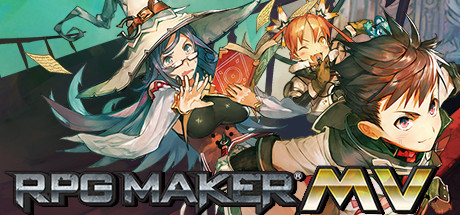
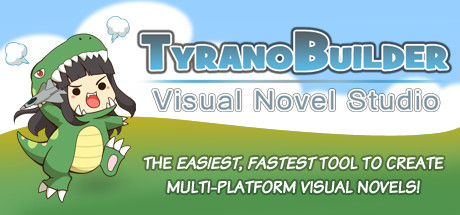
TyranoBuilder Visual Novel Studio
The EASIEST and FASTEST tool to make your own multi-platform visual novels! Quickly create your own games for Windows / MacOS / iOS / Android / HTML5 / CSS3, even if you know nothing about game programming or scripting!
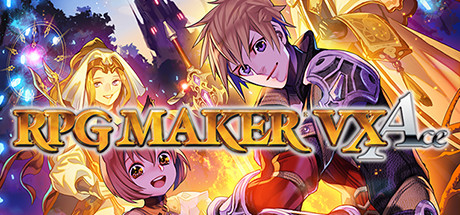
RPG Maker VX Ace
RPG Maker VX Ace improves on every aspect of creating your very own epic adventure. An extremely powerful editor, Ace supports multiple tilesets, offers full control over autoshadow and has a very flexible features system.

Endless Jade Sea -Midori no Umi-
A suspense with a twist, this game is made by Cabbit, sister brand of SkyFish. The special touch of the female screenplay writer has brought this game to a whole new level. A group of youngsters, who suffered from memory loss, got lost in a mansion in the woods. What will their fate be?
![Lost girl`s [diary]](https://shared.fastly.steamstatic.com/store_item_assets/steam/apps/445230/header.jpg)
Lost girl`s [diary]
A group of girls are having their vacation, alone. What would a group of girls do on a dark Christmas night? Of course, fortunetelling! Unfortunately for them, their boyfriends are not about to leave them alone and their sudden visit totally ruins their plans for fortune telling, turning it into a scary story contest.

神明的一天世界(God's One Day World)
an Visual Novel & Puzzle Game

Oblivious Garden ~Carmina Burana
This is a sumptuous palace built for the seven princesses. It is a "birdcage" glorified with the name "garden"… Irell Reis was once a famous general leading thousands of soldiers. However, the defeat three years ago cost him everything. Now, he is summoned by the Emperor of Celantu again...
Frequently Asked Questions
Visual Novel Maker is currently priced at 58.99€ on Steam.
No, Visual Novel Maker is currently not on sale. You can purchase it for 58.99€ on Steam.
Yes, Visual Novel Maker received 278 positive votes out of a total of 441 achieving a rating of 6.10.
😐
Visual Novel Maker was developed and published by KOMODO.
Yes, Visual Novel Maker is playable and fully supported on Windows.
Yes, Visual Novel Maker is playable and fully supported on MacOS.
Yes, Visual Novel Maker is playable and fully supported on Linux.
This information about Visual Novel Maker is not available yet.
This information about Visual Novel Maker is not available yet.
No, Visual Novel Maker does not support VR.
Yes, there are 166 DLCs available for Visual Novel Maker. Explore additional content available for Visual Novel Maker on Steam.
No, Visual Novel Maker does not support mods via Steam Workshop.
No, Visual Novel Maker does not support Steam Remote Play.
No, Visual Novel Maker does not currently support Steam Family Sharing.
You can find solutions or submit a support ticket by visiting the Steam Support page for Visual Novel Maker.
Data sources
The information presented on this page is sourced from reliable APIs to ensure accuracy and relevance. We utilize the Steam API to gather data on game details, including titles, descriptions, prices, and user reviews. This allows us to provide you with the most up-to-date information directly from the Steam platform.
Additionally, we incorporate data from the SteamSpy API, which offers insights into game sales and player statistics. This helps us present a comprehensive view of each game's popularity and performance within the gaming community.
Last Updates| Steam data | 20 September 2026 05:20 UTC |
|---|---|
| SteamSpy data | 13 October 2026 16:10 UTC |
| Steam price | 27 October 2026 04:03 UTC |
| Steam reviews | 21 October 2026 16:00 UTC |
If you'd like to dive deeper into the details about Visual Novel Maker, we invite you to check out a few dedicated websites that offer extensive information and insights. These platforms provide valuable data, analysis, and user-generated reports to enhance your understanding of the game and its performance.
- SteamDB - A comprehensive database of everything on Steam about Visual Novel Maker
- SteamCharts - Analysis of Visual Novel Maker concurrent players on Steam
- ProtonDB - Crowdsourced reports on Linux and Steam Deck Visual Novel Maker compatibility