Desktop+
Desktop+ is a utility application for SteamVR enabling you advanced access to your desktops and windows from within VR. Pull your screen into the VR world, attach windows to your controllers, view 3D content, and more.
Sync your Steam wishlist to find the lowest game prices instantly. No login required, just paste your Steam profile URL!
⚡ Try Wishlist Radar!
Sync your Steam wishlist to find the lowest game prices instantly. No login required!
⚡ Try Wishlist Radar!
Close

Games like OyasumiVR - VR Sleeping Utilities on Steam
Filter Games
 Loading...
OVR Advanced Settings
OVR Advanced Settings is a Dashboard Application for VR, that allows you to access many settings. OVRAS also has a myriad of utility features such as: simulated movement, adding smooth/snap turn to any game, video controls for the headset such as brightness, per-app bindings and much more.
OVR Toolkit - Desktop Overlay
OVR Toolkit is a utility application designed to make viewing the desktop in VR simple and fast, it allows for viewing the desktop within VR, mouse input, typing with a virtual keyboard, and quickly switching between windows. You can also control your media, see time, and more!

Virtual Desktop Classic
Virtual Desktop is an application developed for the Oculus Rift / Rift S, HTC Vive, Valve Index and WMR headsets that lets you use your computer in VR. This app is NOT for the Oculus Quest or Pico headsets. You can browse the web, watch movies, Netflix or even play games on a giant virtual screen.

fpsVR
Utility for SteamVR for keeping track of FPS, frame time and other performance metrics in the in-game overlay. Easily change SteamVR settings in the fpsVR settings overlay in the SteamVR dashboard. Headset cable twist tracking and other useful features.

iVRy Driver for SteamVR
Use your iPhone, Android, GearVR, Oculus, Vive Wave, Pico Mobile or Sony Playstation VR/VR2 headset as a Virtual Reality Headset for your PC. Lets you run SteamVR & Oculus Rift PC VR titles without a dedicated PC VR headset.
VRCFaceTracking
VRCFaceTracking creates a bridge between facial-tracking hardware, and applications compliant with the Open Sound Control protocol

EVGA Precision X1
The next generation of EVGA Precision has arrived with EVGA Precision X1. This software allows you to fine tune your NVIDIA graphics card, maximizing cooling and performance.

Smart Game Booster
Smart Game Booster is an easy-to-use yet efficient game optimization utility, essential for any gamer who wants a smoother gaming experience.
Driver Booster 5 for Steam
Driver Booster 5 for Steam, with its new interactive interface and greatly expanded database which can support more than 1,000,000 drivers and game components, is an easy-to-use yet powerful driver updater. Put simply, it increases your system compatibility & stability.
DisplayFusion
DisplayFusion will make your multi-monitor life much easier! With powerful features like Multi-Monitor Taskbars, TitleBar Buttons, Monitor Fading, and fully customizable HotKeys, DisplayFusion will make managing your multiple monitors easy.

TurnSignal
A minimalistic, intuitive, visual, IN-GAME utility for keeping track of Cord Wrapping/Tangling in SteamVR!
Standable: Full Body Estimation
Standable Full Body Estimation is a method of estimating points of your body that are not currently tracked by 3-point tracking solutions.
Driver Booster 3 for STEAM
Driver Booster 3 for STEAM, as a powerful & easy-to-use driver updater, provides 1-click solution to rapidly & securely update drivers including the outdated, missing and faulty ones. Moreover, game components and game-related drivers are supported for enhanced gaming experience.

MyDockFinder
MyDockFinder is a software for quick system startup and control viewing system functions. You can drag and drop to add your favorite programs or files, and drag and drop to directly use the program to open the file. Based on WinUI using GPU rendering, smooth animation effects.

PLAY'A VR Video Player
Meet PLAY’A — the sleek, feature-packed VR video player made for life on the go. With a modern design, intuitive controls, and support for streaming or local playback, it’s simple, stylish, and powerful. Sit back, dive in, and let PLAY’A redefine your virtual reality experience.

Simple VR Video Player
Watch your videos in virtual reality with Simple VR Video Player, an easy to use video player with full motion control support and an intuitive interface. Simple VR Video Player can play your saved video files with 2D/180°/360° and 3D/SBS/OU support.

Driver Booster for Steam
Driver Booster 13 for Steam is a must-have driver updater to keep drivers and game components up to date. It is very powerful and easy-to-use for all Windows users.
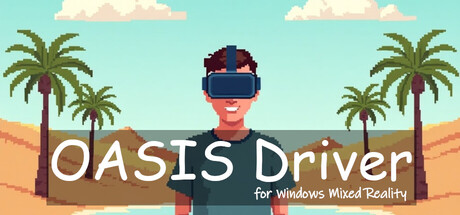
Oasis Driver for Windows Mixed Reality
A SteamVR driver for your Windows Mixed Reality VR headset on Windows 11.

My Auto Clicker
My Auto Clicker is the ultimate autoclicker and game automation tool, combining a precise autoclicker, a reliable macro recorder, customizable playback binds, and the ability to browse and download community macros and themes published on the Steam Workshop—all in one clean package.


GizmoVR Video Player
GizmoVR is a virtual reality media player. Supported video formats: 2D/360/180 avi, mkv and mov 4K, 8K


Bigscreen Beta
Bigscreen lets you use your PC desktop in VR. Watch movies with friends in a virtual movie theater. Play your favorite PC video games on a huge screen. Hangout in social VR chat rooms. Participate in weekly 3D Movie Nights, VR LAN parties, live rocket launch events, and more!
SAO Utils 2: Progressive
SAO Utils 2 provides you a fresh-new customizable Full-Dive 3D app launcher with varieties of themes, desktop widgets and powerful utilities.

Borderless Gaming
Borderless Gaming: Seamlessly play games in borderless full-screen mode for uninterrupted gaming and effortless multitasking.
Discord Bot Maker
Discord Bot Maker is a powerful bot development tool for the #1 text and voice chat service for gamers: Discord. With this tool, you and your teammates can take your social experience to the next level!
Boom 3D Windows: Experience 3D surround sound in games
Experience 3D surround that is specifically designed for games on your Windows 10 and 11 devices across any headphones or speakers. Boom 3D's system-wide integration on Windows OS enriches the audio output for every user-interaction making gaming an unbelievably immersive experience.

Natural Locomotion
Move naturally in virtual reality in any SteamVR game that supports trackpad/stick locomotion. More immersion, more comfort!
Driver Booster 4 for Steam
Driver Booster 4 for STEAM, as a powerful & easy-to-use driver updater, provides 1-click solution to rapidly & securely update 400,000+ drivers including the outdated, missing and faulty ones. Moreover, game components and game-related drivers are supported for enhanced gaming experience.
Controller Companion
Navigate your PC desktop with a controller! Put mouse, media and keyboard control in the palms of your hands so you'll never have to leave the couch again!

PCMark 10
PCMark 10 is the latest version in our series of industry standard PC benchmarks. Updated for Windows 10 with new and improved tests, PCMark 10 is also faster and easier to use. It's the complete benchmark for your Windows PC.